New Features of the Expert App and User App
Updates September 2025 (Version 2.2.0.)
Expert App
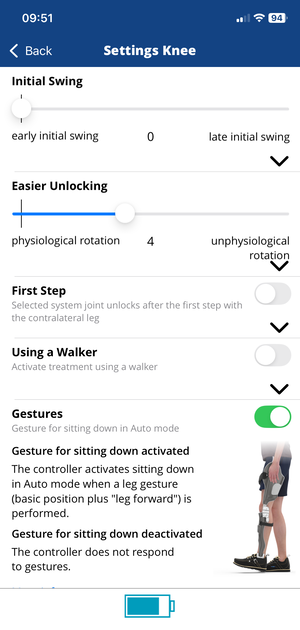
New Menu Structure
With the new update, some minor bugs have been fixed and the app’s usability has been further optimised. The menu structure has been simplified. The navigation is now more intuitive and smoother, making it easier to quickly access the desired settings.
All basic settings are now located on one page and can be reset with a single tap if desired.
The new menu structure can be seen on the image on the right.
Request to Update
In addition, the app now indicates when an update is available for the mounted controller, ensuring that it is always up to date.

Basic Position
The menu item Basic Position is now also available for the NEURO HiTRONIC and NEURO TRONIC. To use gesture control, you must first set the basic position. To do this, the leg must be positioned with the orthosis in the lower leg-to-plumb line angle and this position saved as the basic position. This means that the orthosis is locked again when the basic position is reached after performing the gesture.

Gestures
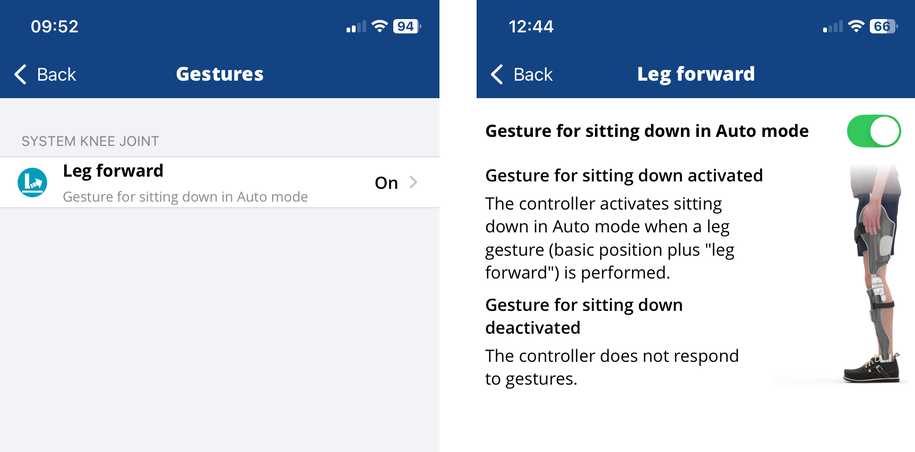
In the new Gestures menu item, you can now activate or deactivate the gesture for sitting down in Auto mode. This function allows patients who can stand and walk in a controlled manner to sit down comfortably in Auto mode. Here’s how to use the gestures:
- The patient stands still for a second.
- The affected leg is set down with the heel.
- After another second, the system knee joint unlocks briefly. It is possible to sit down.
- The joint locks automatically as soon as the lower leg is back in a vertical position.
To ensure the safe use of the orthosis, it is recommended to activate gesture control only if the patient can perform the movement safely and in a controlled manner. This minimises the risk of unintended movements.
User App
Gestures
In the User app, patients who use an orthosis with the controller ET3860 with a mounted NEURO HiTRONIC or NEURO TRONIC can activate and deactivate the gesture for sitting down in Auto mode. To do this, the function must first be activated in the Expert App.
This function is particularly suitable for patients who can stand and walk safely and in a controlled manner. The User app also provides a visual demonstration on how to perform the gesture correctly. This improves safety and understanding during execution.
The user interface of the User app has also been visually optimised to match the Expert app and now offers a consistent, modern appearance
Gesture Control via Smartwatch
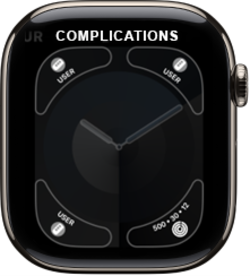
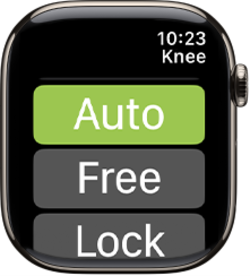
For patients with an Apple Watch or Samsung Watch, there is another convenient new feature. Certain functions of the User app can now also be controlled directly on the smartwatch using selected gestures, without the need for a smartphone.
The following functions can be activated or deactivated:
- sitting down in Auto mode (NEURO HiTRONIC/NEURO TRONIC)
- Zero mode (NEURO HiSWING R+).
For instructions on setting up gesture control on the smartwatch, see Gestures via smartwatch.
You can find more information about the gestures in the info boxes in the app.
Note: If both a NEURO TRONIC/NEURO HiTRONIC and a NEURO HiSWING R+ are mounted in an orthosis, both system joints are displayed on separate pages on the smartwatch. The gesture control is then always active for the displayed page.
New Features of the Expert App
Updates February 2025 (Version 2.1.8.)
Longer Power Supply during Mode Change
NEURO TRONIC | NEURO HiTRONIC | ET3850 | ET3860 |
- | + | + | + |
The NEURO HiTRONIC system knee joint requires slightly more power when changing from standing (locked) into e.g. Free mode (unlocked) as the magnet inside the system knee joint needs to be “held” for it. Until now, the increased power supply for this was limited to 0.2 seconds. To provide the patients with more comfort and a longer reaction time, it was extended to 2 seconds. Now, patients can manually switch into Free mode, for example, and still have two seconds before actually using the system joint unlocked.
Improved Detection of the First Step
NEURO TRONIC | NEURO HiTRONIC | ET3850 | ET3860 |
- | + | + | + |
The overall detection of the first step when treated with the electrohydraulic NEURO HiTRONIC system knee joint has been improved. All patients wearing an orthosis with this system knee joint benefit from this feature.
Initial swing
NEURO TRONIC | NEURO HiTRONIC | ET3850 | ET3860 |
- | + | + | + |
With this menu item, you can change the point in time when the system knee joint locks in initial swing. The further the point on the scale is moved to the right, the later the system joint locks during this gait phase.
In a physiological gait, knee flexion already begins in pre swing, while the final knee flexion is achieved in initial swing. The standard setting is optimised for a physiological gait and for this reason, the locking of the knee flexion at this point in time is standard. However, patients who have previously worn an orthosis with locked joints often do not initiate knee flexion in pre swing, but only in initial swing. For these patients, a later locking of the system joint makes sense.
With this menu item, you can extend the period of time the individual patient needs to bend their knee joint. By moving the slider, the time period is adjusted accordingly. This ensures that the system joint enables maximum knee flexion, which in turn allows swinging the leg without stumbling.

Treatment Using a Walker
NEURO TRONIC | NEURO HiTRONIC | ET3850 | ET3860 |
+ | + | - | + |
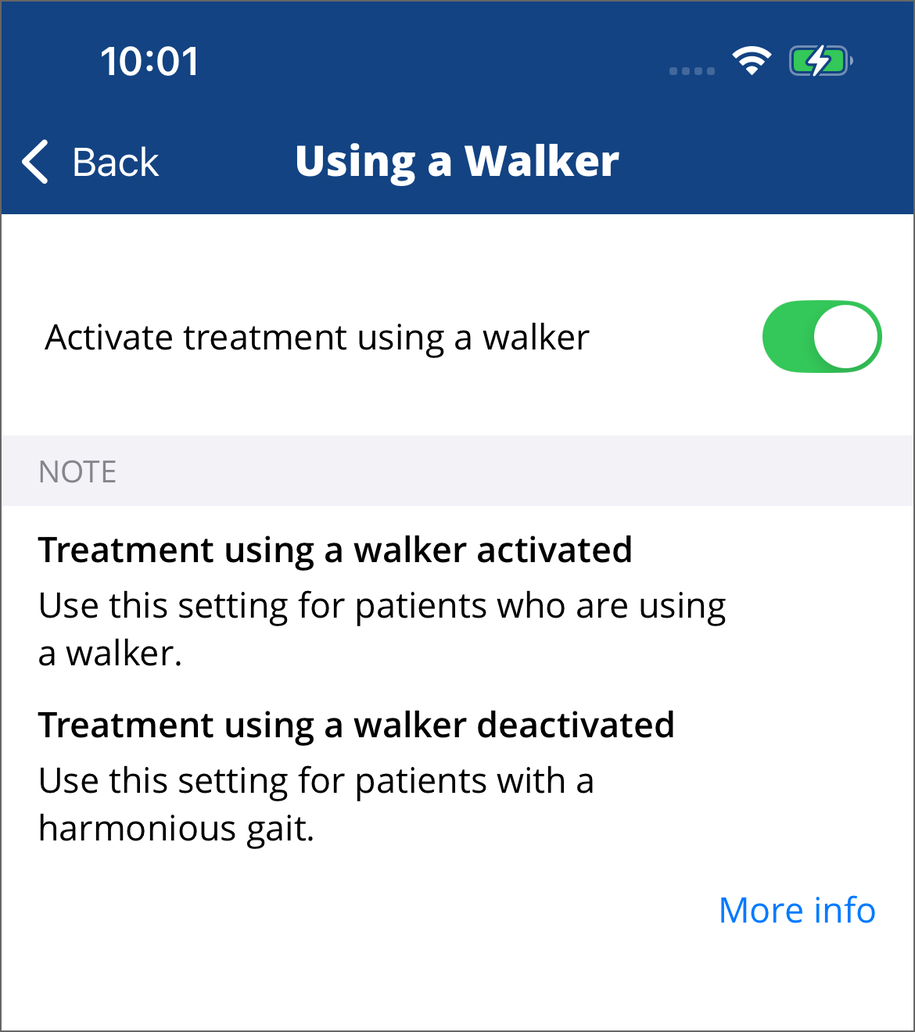
This function may only be activated if the patient actually uses a walking aid (such as crutches or a walker). For all other patients, this setting is not suitable! The function behind this menu item is particularly adapted to patients who walk very slowly and only take small steps.
With the standard setting, the system knee joint is locked when reaching maximum knee extension in terminal swing.When using a walking aid, the stance to swing phase ratio can be unphysiological. Instead of a regular stance phase of approx. 60% and a swing phase of approx. 40% of the gait cycle, the phase ratio can change to an extended stance phase and a significantly reduced swing phase (e.g. stance phase 80% and swing phase 20%). This requires the system joint to be locked/unlocked at a different point in time.
If a changed stance to swing phase ratio is apparent in one of your patients using a walking aid, you can make sure that the microhydraulically controlled orthosis takes the changed ratio into account by activating this new function. It detects the changed gait within the first two steps and locks/unlocks the system knee joint accordingly at the right point in time in the following steps. This way, a stumble-free gait can also be ensured for patients with orthosis using an additional walking aid (such as crutches or a walker).